Last updated
Switching cap table providers sounds painful. Luckily, with Mantle, it isn't.
Mantle's AI Extract system reads your Carta exports and legal documents directly, so you're not stuck rebuilding your entire cap table from scratch. Depending on the size of your cap table, other customers who have made the switch told us this only took a few hours of their time, start to finish.
This guide covers both paths: migrating yourself or handing it to Mantle's concierge team.
Before you start
Gather these before you begin the migration process:
Admin access to your Carta account
A list of any recent transactions not yet reflected in Carta (new grants, exercises, terminations)
30 minutes of uninterrupted time for the export step
Phase 1: Export your data from Carta
Step 1: Export your cap table
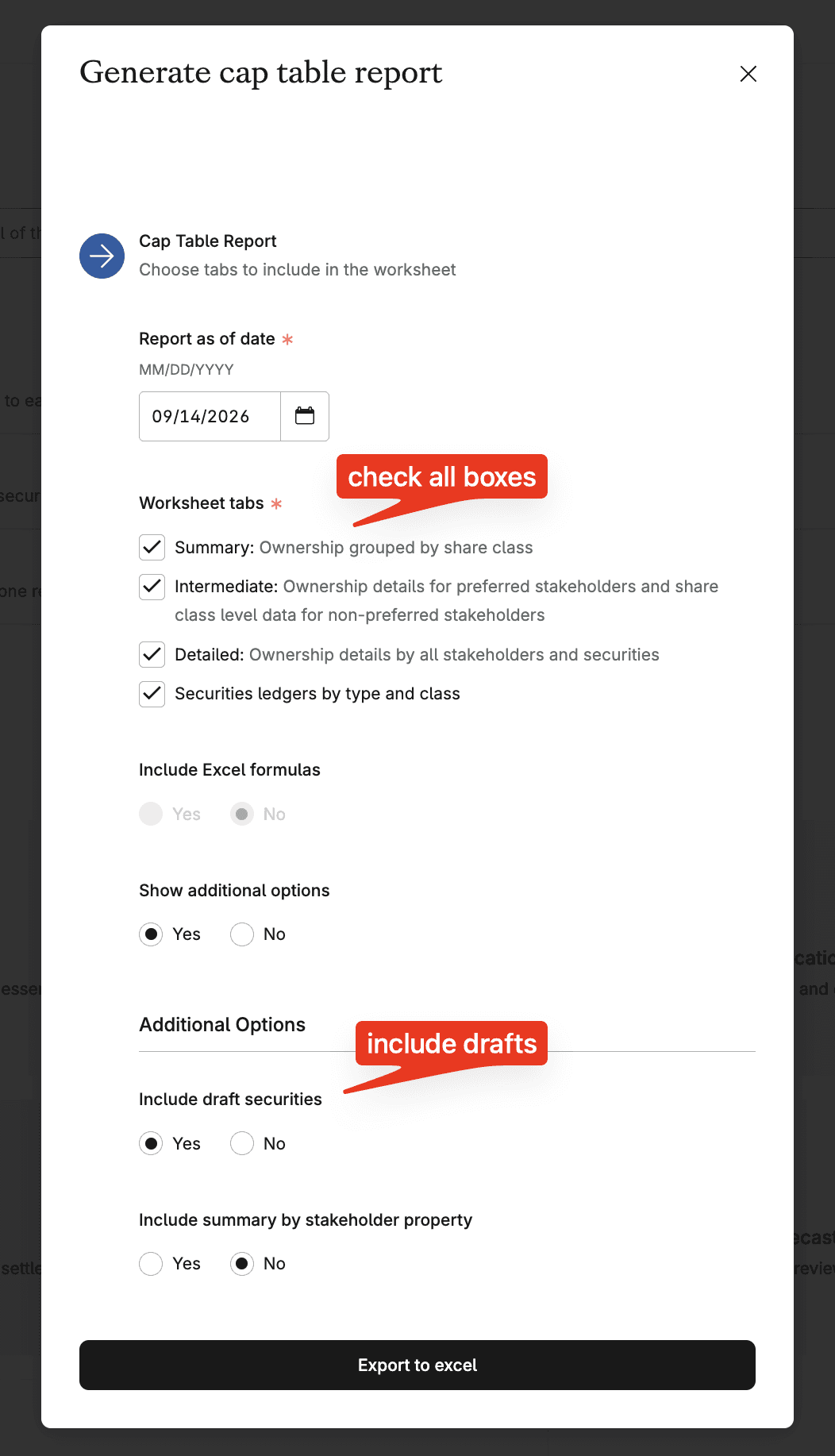
Go to Essentials → View Cap Table (or Run Reports)
Select Export
Report as of: current date
Worksheet tabs: Check all boxes
Include Excel formulas: No
Show additional options: Yes
Include draft securities: Yes
Include summary by stakeholder property: No
Step 2: Download your legal documents
Export every underlying legal file in bulk:
Incorporation documents
Stock purchase agreements
Signed SAFE and convertible notes
Option plan documents
Grant agreements
Carta lets you bulk-download these from your document library. Grab everything. Mantle's AI Extract sorts out what's relevant.
Phase 2: Import into Mantle
Step 3: Upload into the Mantle Data Room
Log into Mantle Equity
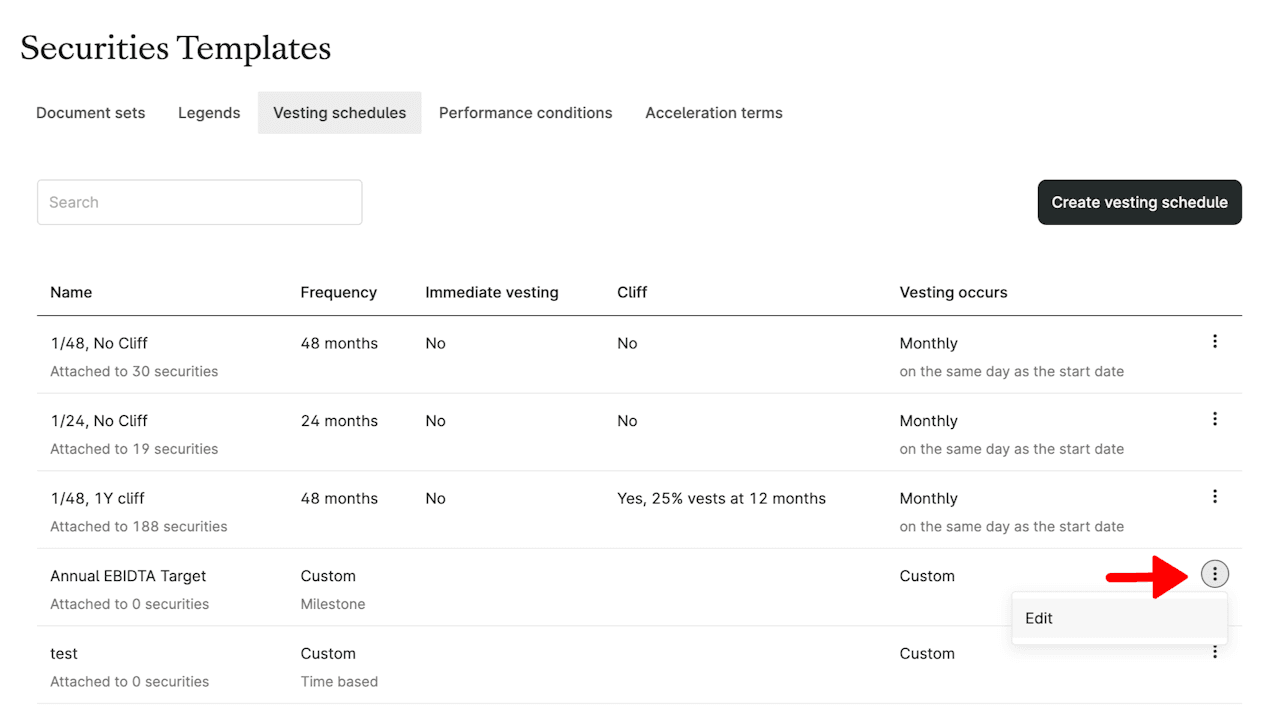
Upload your Carta cap table export, all PDF agreements, and a screenshot of your current vesting templates (example below). Note: Custom vesting schedules for individuals will be applied directly to securities
Is this a Mantle Concierge onboarding? Confirm you have uploaded all files and click 'Ready for Review'
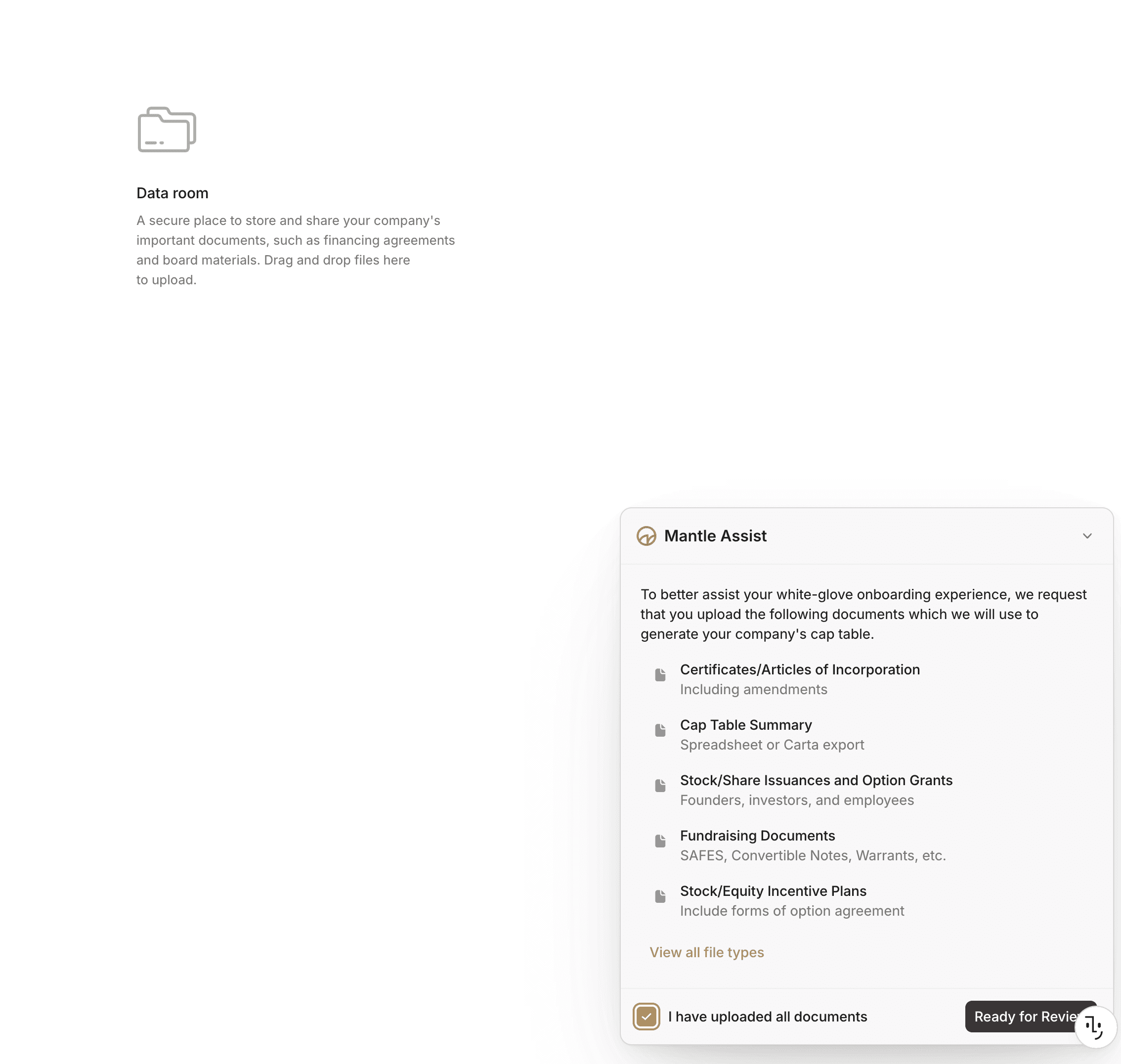
Is this a self-led onboarding? No need to click 'Ready for Review'
Mantle's AI Assistant, Clerk, can help guide you through building out your cap table. Simply tell it what you'd like to do, and Clerk will walk you through next steps and execute tasks for you such as analyzing your incorporation documents and creating your share classes.
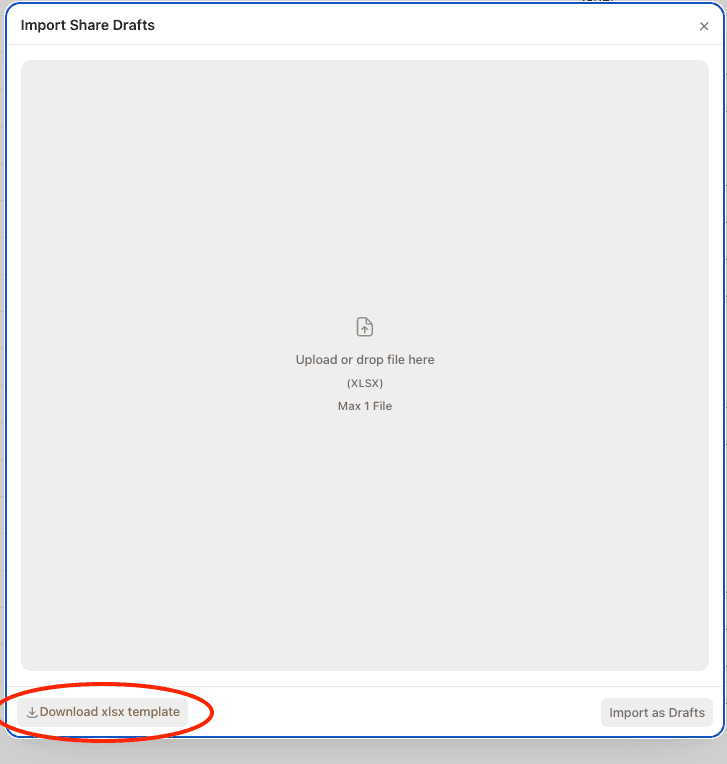
Clerk can even help you draft securities from PDFs! Future iterations will be able to ingest generated cap table spreadsheets. For now, if you have a number of securities to create, you can download and populate an Excel template which can then be uploaded to create multiple issuances at once.

Step 4: Review and confirm
Once your cap table is built, we encourage you to review and confirm details before cancelling your Carta subscription. If you work with legal counsel, this would be a great opportunity to have them review as well.
Skip ahead with Concierge Onboarding
On a paid Mantle plan, you don't have to handle the cap table build yourself.
Upload your cap table export and legal documents (the same files listed in Phase 1), and Mantle's concierge team builds your entire cap table for you.
The typical turnaround time for standard cap tables is 1-5 business days, but could take longer depending on the complexity of your cap table and the completeness of documents uploaded.
You'll get a completed, audited cap table ready for review. We'll flag any issues that come up.
FAQ
Will my stakeholders be notified during migration? No. Nothing is sent to stakeholders until you invite them to your new Mantle workspace. Migration itself is invisible to them.
What if my cap table has complex instruments (SAFEs, multiple share classes, early exercises)? Mantle's AI Extract is built for this. Complex structures are exactly what the legal document upload is for. If anything can't be auto-mapped with confidence, it's flagged for your review instead of guessed at.
Can I run Mantle and Carta side by side during migration? Yes. Your Carta account stays active and untouched throughout. Nothing is deleted or altered on the Carta side.
What happens to my historical transactions? All of it migrates: cancelled grants, terminated stakeholders, exercised options, past transfers. Your full history carries over, not just the current snapshot.
Do I need a paid plan to migrate? No. Self-serve migration works on any plan. Concierge onboarding is available on paid plans.
Questions during your migration? Reach out to Mantle's Support Team and a real person will help.