Last updated
Overview
The in-platform exercise workflow enables stakeholders to submit requests to exercise their stock options and allows company administrators to review, process, and approve these requests. Once approved, the system automatically updates the cap table by creating new share certificates and consuming the exercised options.
Workflow Overview
Key Participants
Stakeholders (Optionholders): Employees or other parties who hold stock options and wish to exercise them
Company Administrators: Personnel responsible for reviewing and processing exercise requests
Exercise Admins: Designated users who receive notifications about new exercise requests
Main Stages
Draft: Stakeholder initiates and prepares exercise request
Submitted: Stakeholder submits request for company review
Reviewed: Company admin reviews request and calculates exercise amounts
Payment Sent: Stakeholder indicates payment has been sent
Payment Received: Company admin confirms payment receipt
Approved: Company admin approves exercise and updates cap table
Rejected: Company admin rejects the request (alternative terminal state)
Stakeholder Experience
Viewing Available Options to Exercise
Accessing Your Options
Navigate to your portfolio in the platform
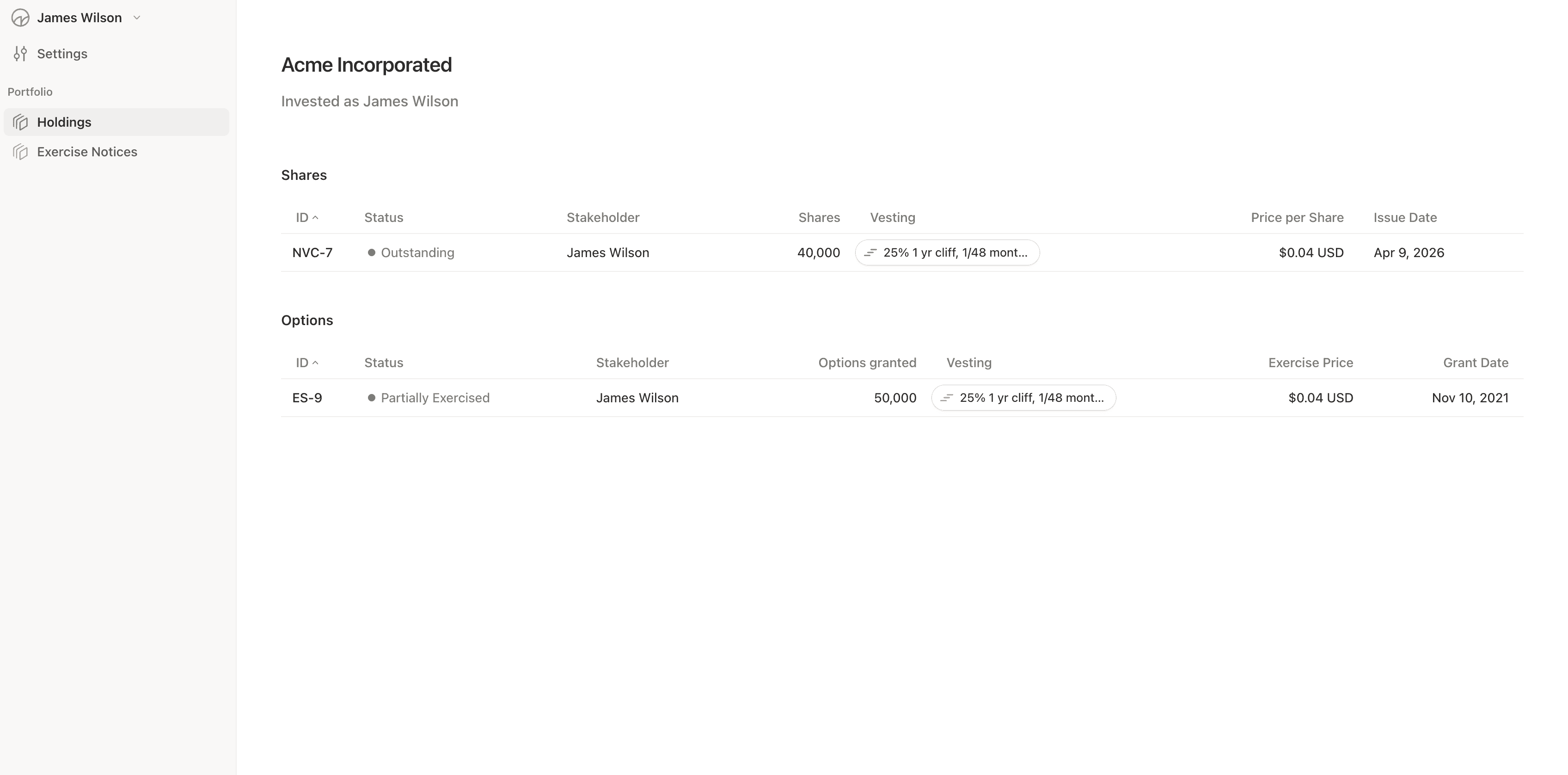
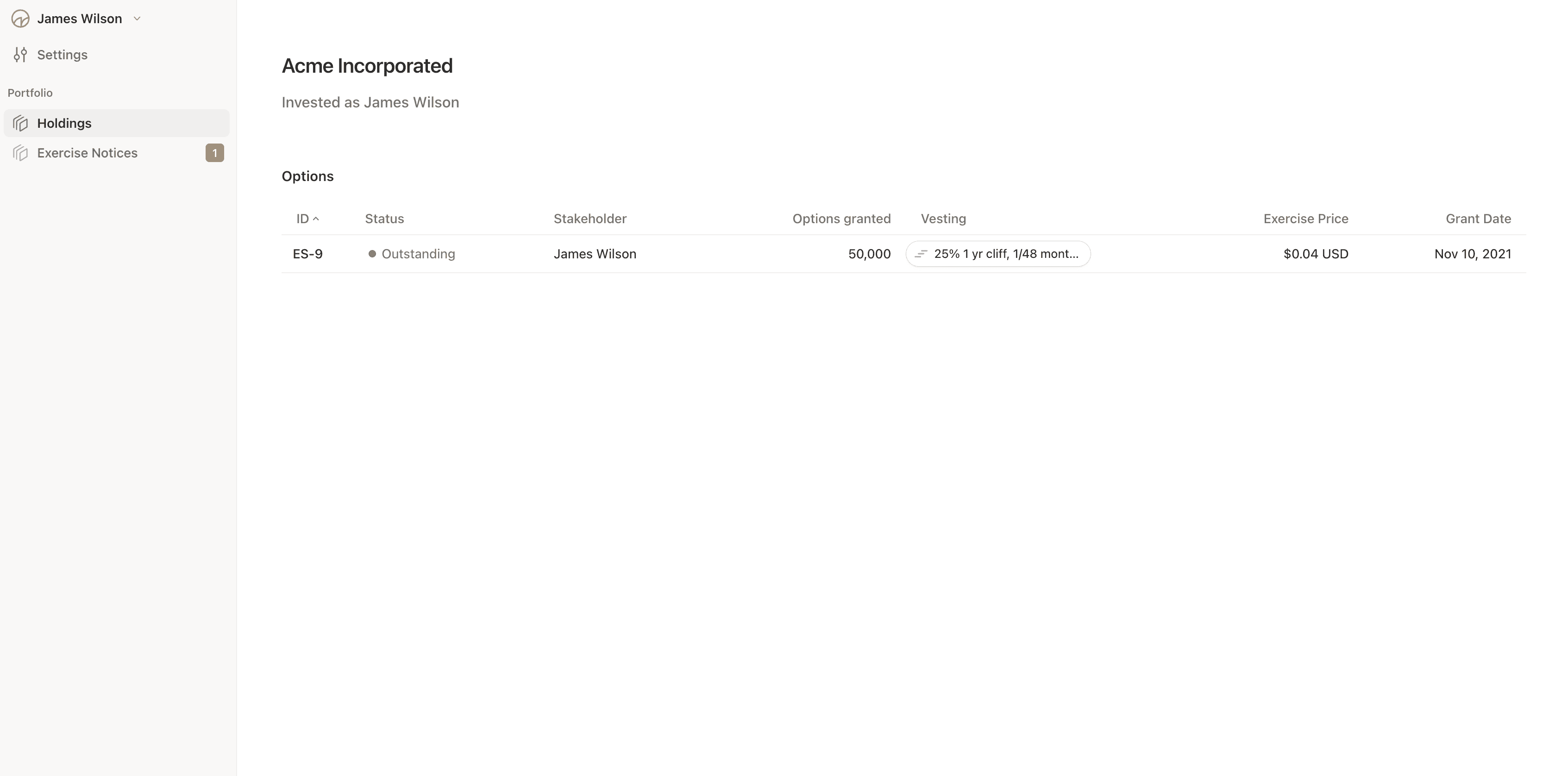
View your list of stock options (option grants)
Each option grant displays:
Grant name and ID (e.g., "OP-123")
Number of vested options available
Exercise price per option
Total value to exercise
Issue date and vesting schedule
Understanding Exercisable Options
Only vested options can be exercised
The system calculates how many options are available based on:
Your vesting schedule
Previously exercised options
Any options that have been withheld for taxes
Initiating an Exercise Request
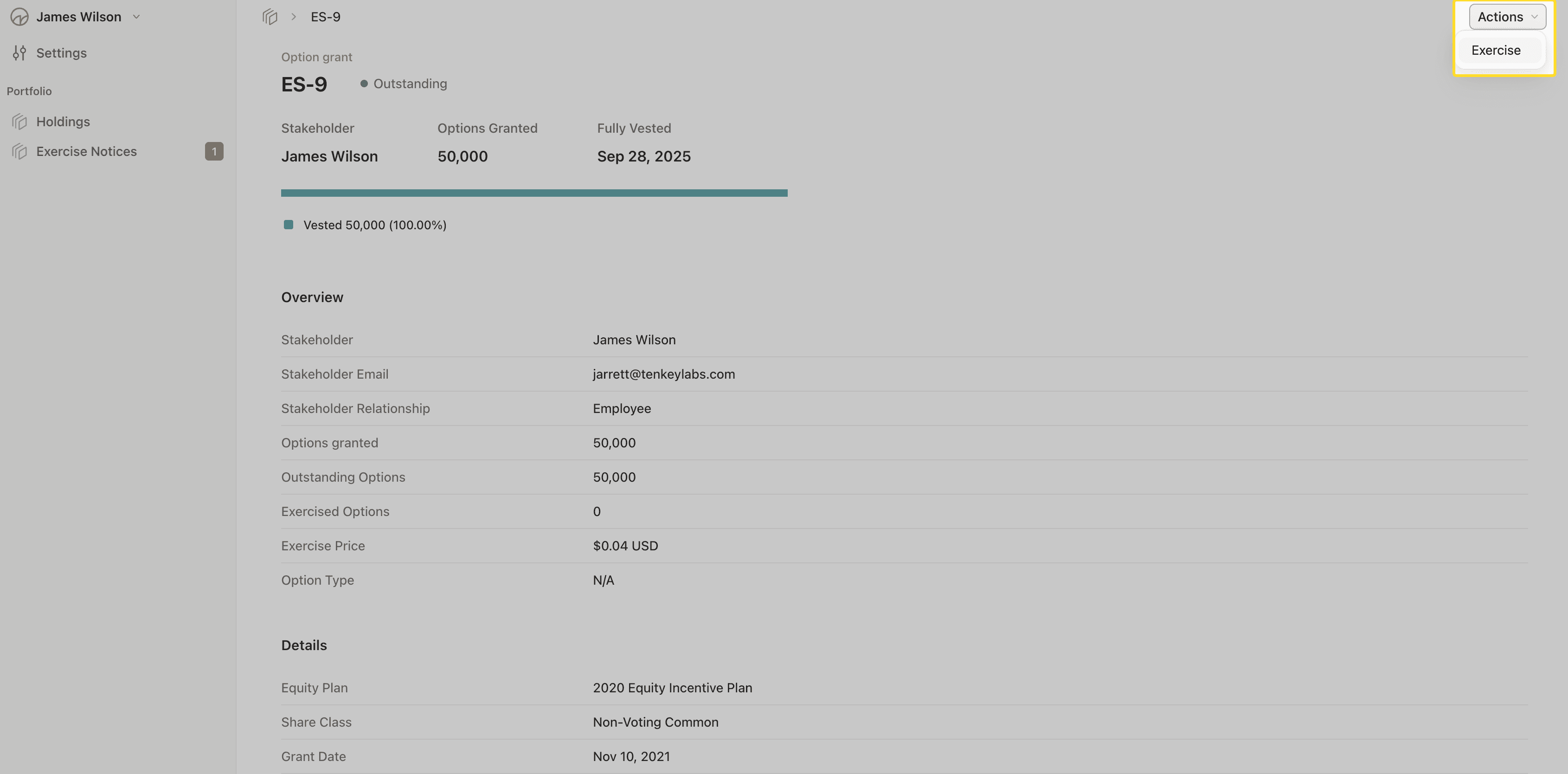
Step 1: Start the Exercise Process
From your option grant details, click "Exercise Options"
The system opens a multi-step form to guide you through the process
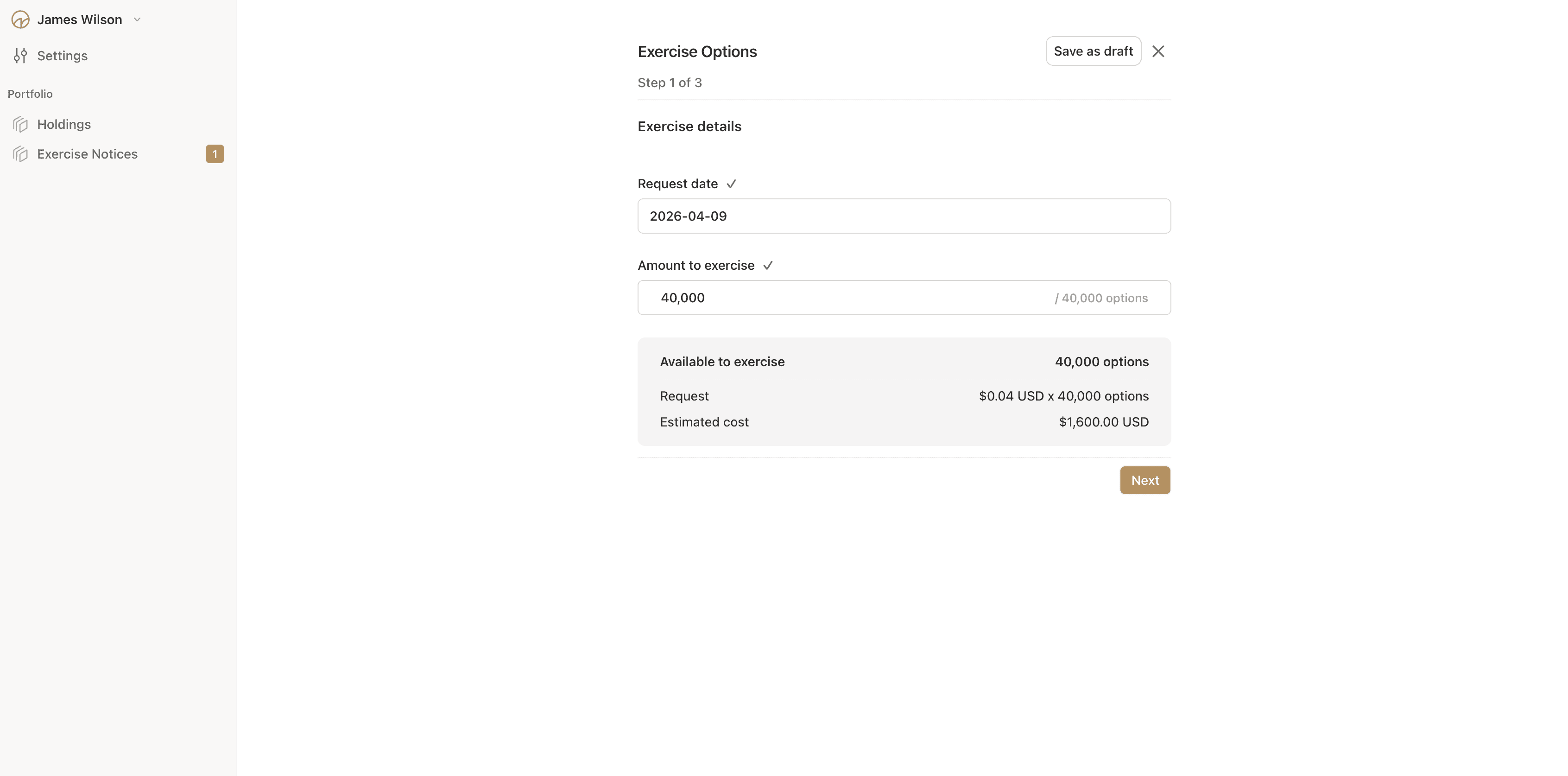
Step 2: Specify Exercise Details On the first screen, you'll provide:
Number of options to exercise: Enter how many vested options you want to exercise
Exercise date: Select the date for the exercise (typically today)
Exercise cost calculation: The system automatically calculates:
Exercise price per option
Total cost before taxes
Any applicable tax withholding (if configured)
Total cost after taxes
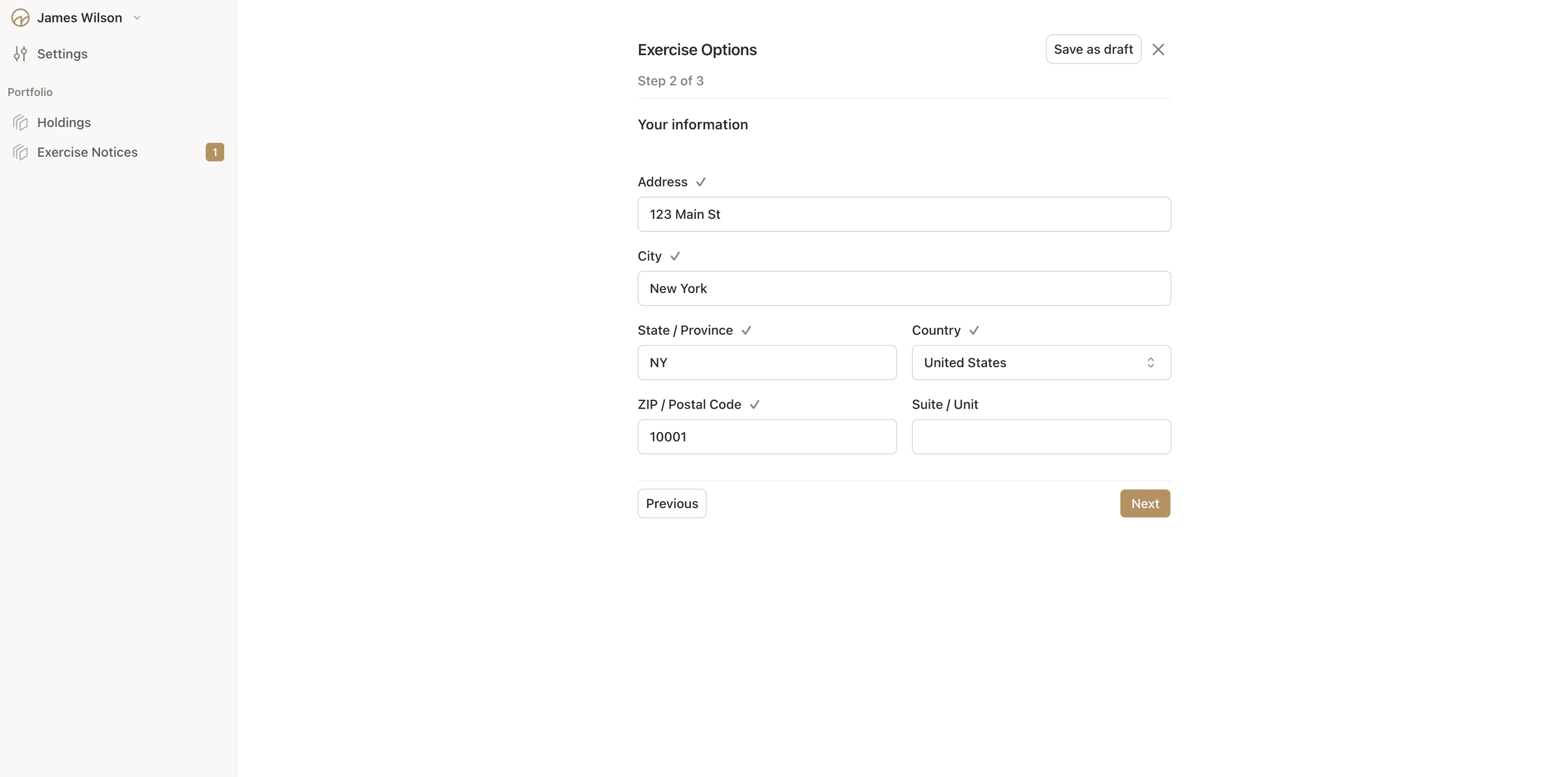
Step 3: Provide Your Location Information The second screen requests your address details:
Street address
Address line 2 (optional)
City
State/Province
Country
Postal/ZIP code
This information is required for tax purposes and legal documentation.
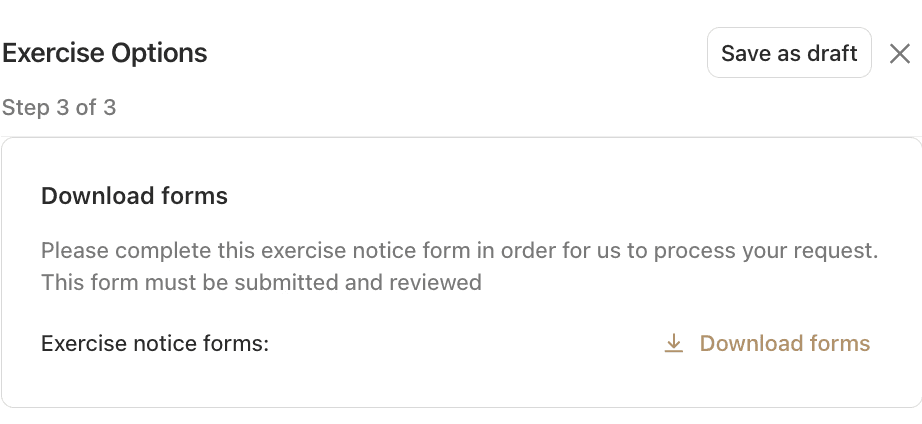
Step 4: Download and sign supplied documents
Signing happens off-platform, and then the signed documents are attached to the exercise request
Step 5: Attach Supporting Documents (Optional) The final screen allows you to upload relevant documents:
Signed Exercise document
Payment confirmation
Wire transfer receipts
Any other supporting documentation that was downloaded and signed
For each document you can:
Upload new files (drag and drop or click to browse)
Mark documents as visible or hidden from your view
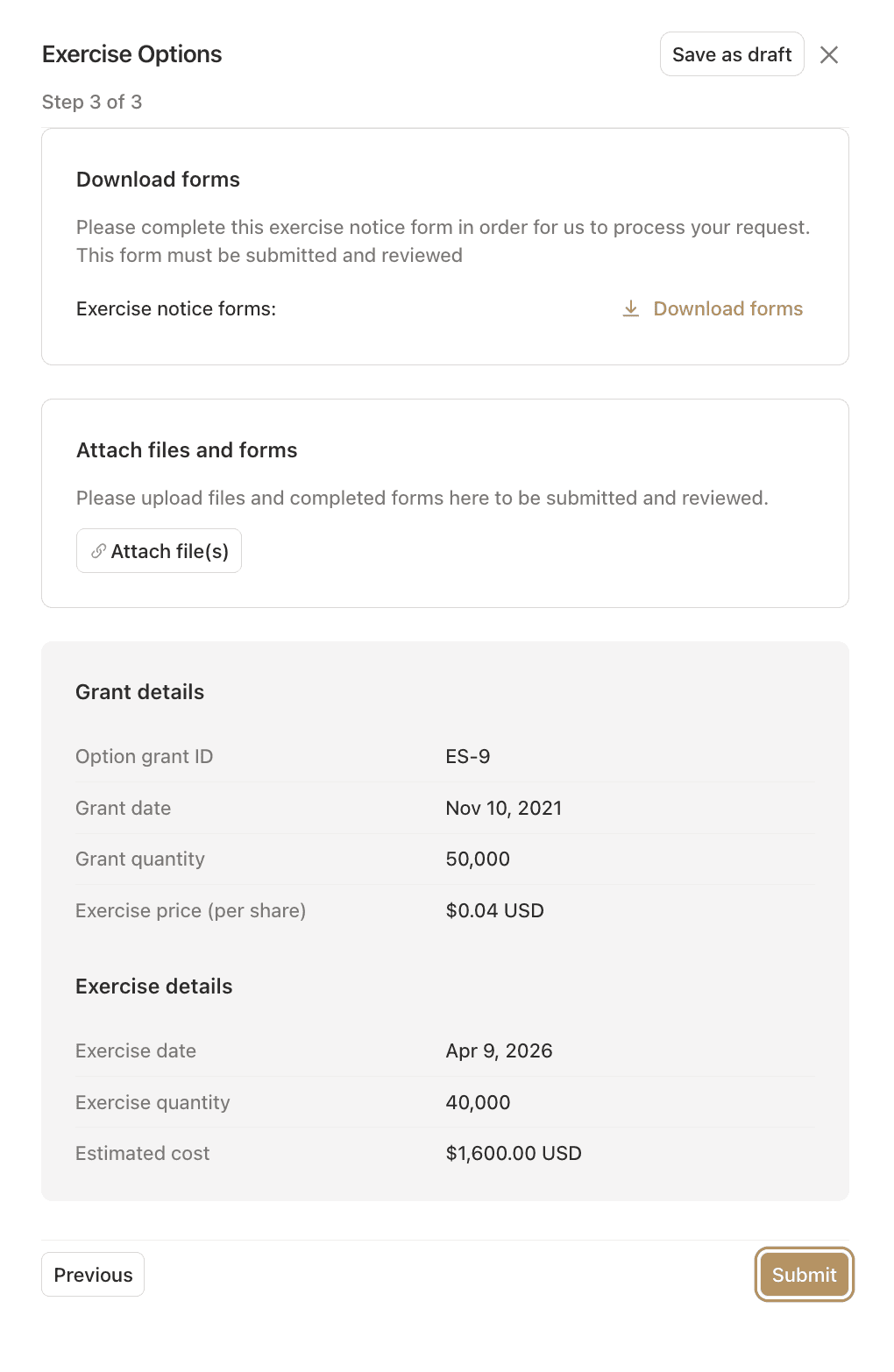
Step 6: Save or Submit You have two options:
Save as Draft: Save your progress and return later to complete
Submit for Review: Send the request to company administrators
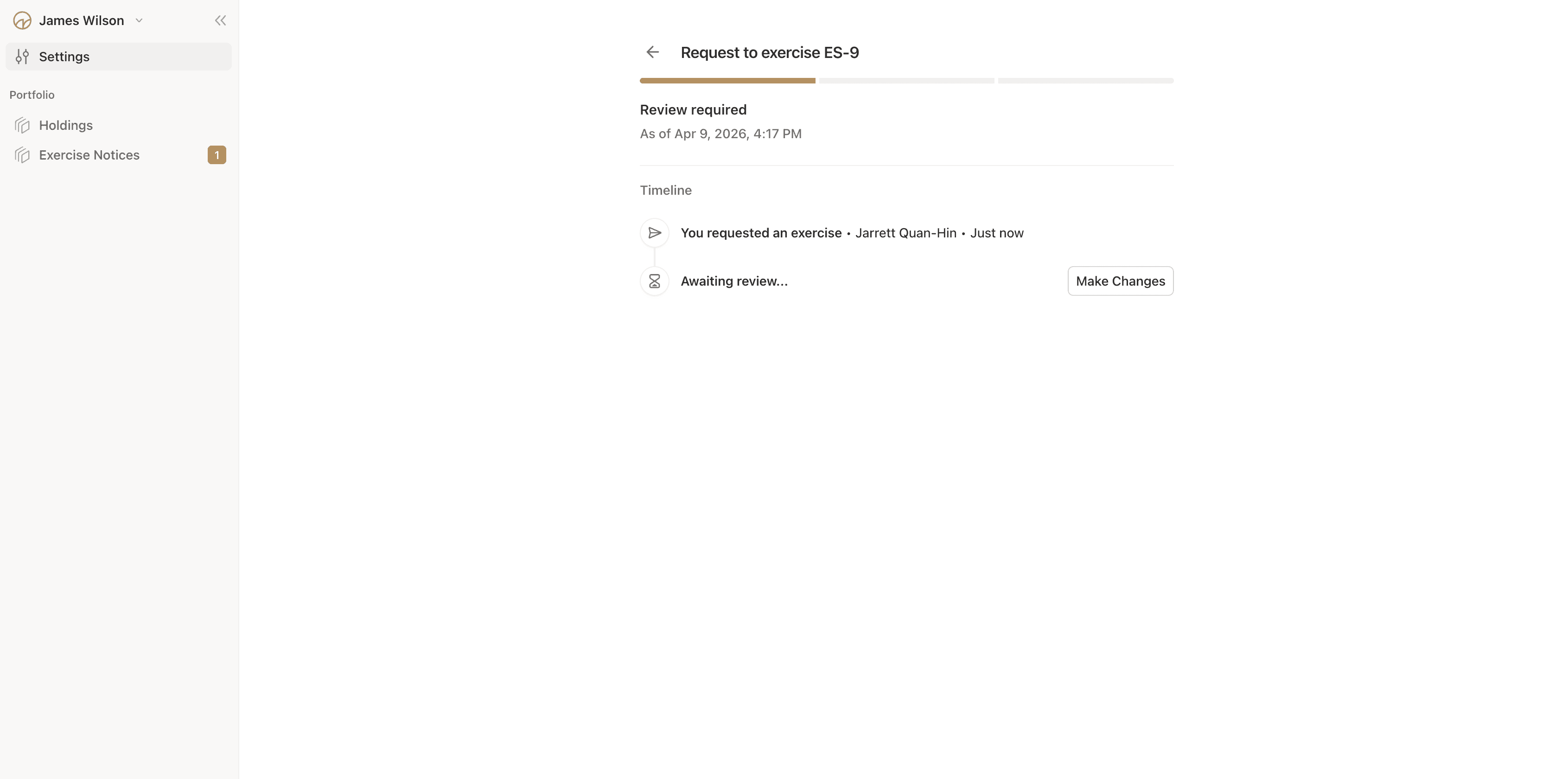
Once submitted, you cannot edit the request. If changes are needed, the company admin must send it back to draft status.
Tracking Your Exercise Request
Viewing Request Status After submission, you can track your request's progress:
Navigate to your portfolio
Find the option grant you're exercising
View the exercise request status
Status Meanings for Stakeholders
Drafted: Your request is saved but not yet submitted
Submitted: The company has received your request and will review it
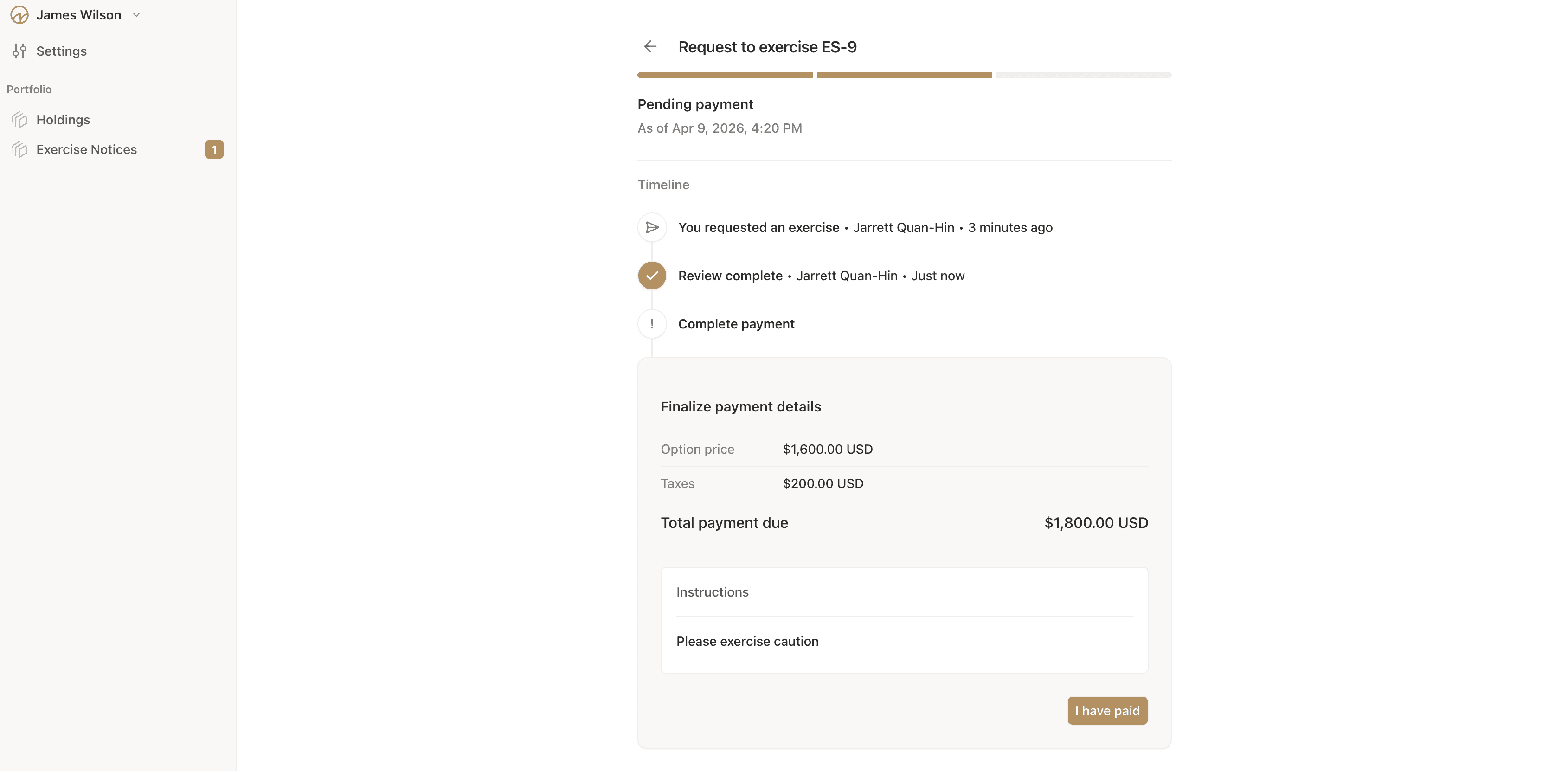
Reviewed: The company has reviewed your request and is awaiting payment
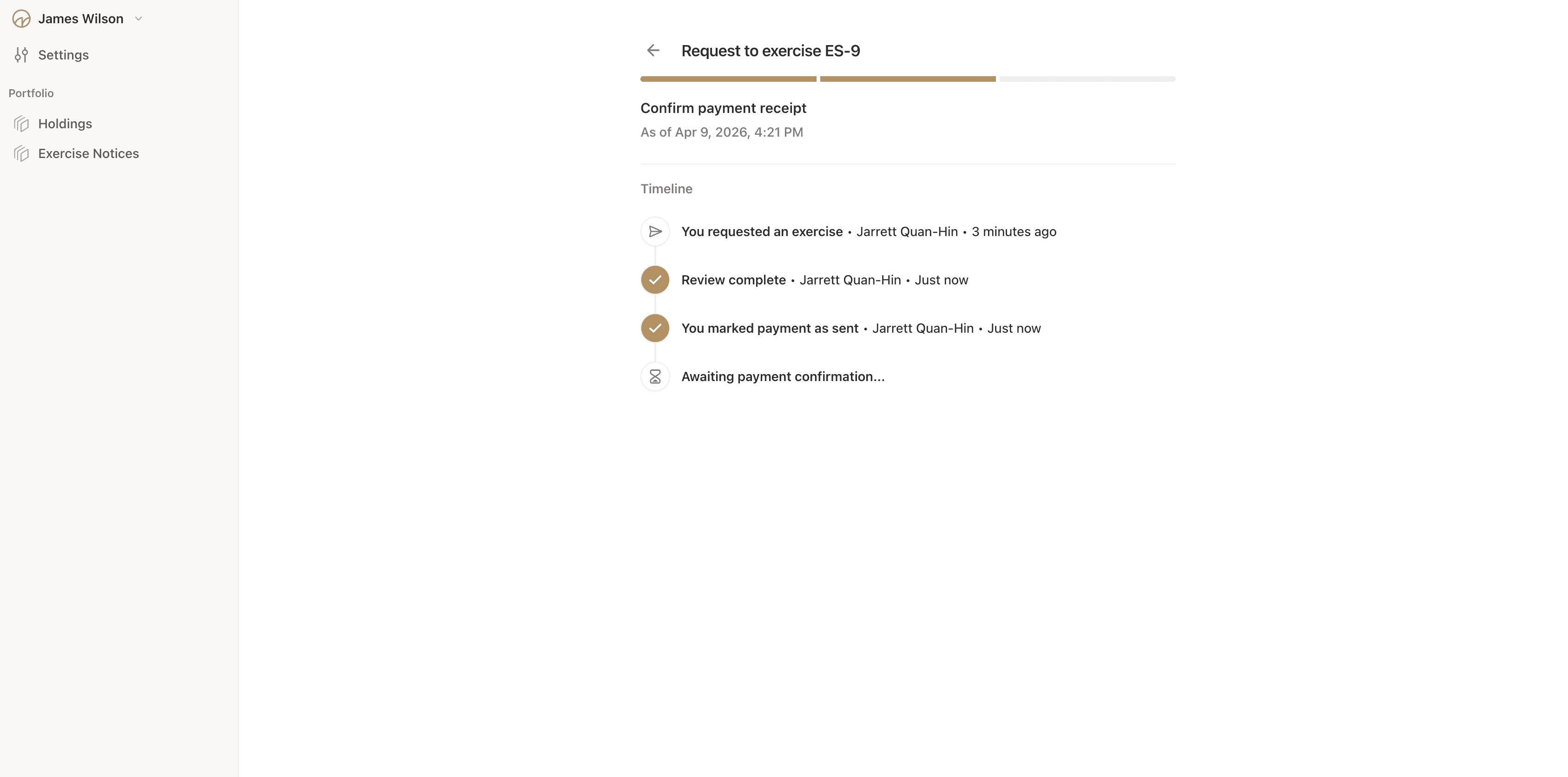
Payment Sent: You've indicated payment was sent (if applicable)
Payment Received: The company has confirmed receiving your payment
Approved: Your exercise is complete, and shares have been issued
Rejected: The company declined your request (see rejection reason)
Receiving Notifications
You'll receive email notifications at key stages:
Payment Requested: When the company reviews your request and requests payment
Approved: When your exercise is approved and shares are issued
Rejected: If your request is declined, with an explanation
Reverted: If the company sends your request back to draft for corrections
Completing Payment
After Review When the company reviews your request, you'll receive an email with:
Payment amount required
Payment instructions
Payment deadline (if applicable)
Indicating Payment Sent If your company uses the payment tracking feature:
After sending payment, access your exercise request
Click "Mark Payment as Sent"
Optionally add notes about the payment method
Upload payment confirmation documents
This notifies company admins that payment is complete and moves the process forward.
Receiving Confirmation
Approval Notification When your exercise is approved, you'll receive:
Email confirmation
Details of your new share certificate
Certificate ID (e.g., "SCP-456")
Number of shares issued
Exercise date confirmation
Viewing Your New Shares After approval:
Navigate to your portfolio
View your updated holdings
Find your new share certificate under "Common Stock" or the appropriate share class
The exercised options are marked as consumed on your option grant