Last updated
Board actions are how your board formally approves key decisions that affect your cap table: issuing stock, granting options, adopting plans, approving 409A valuations, and more. Treat this page as your “board approvals 101” plus a checklist for keeping Mantle aligned with your legal record.
Board actions 101 for founders
A board action is usually captured in board minutes or a written consent. It documents that the directors reviewed and approved a decision (for example, a new option grant, SAFE financing, or equity plan).
Investors, auditors, and acquirers will expect to see these approvals linked to your cap table—missing board approvals are a common due diligence red flag.
Mantle helps you link each equity event to the underlying board action so your cap table is both numerically correct and legally supported.
Currently, Mantle has a Issue Signing flow for Board Resolutions, and Option Grants attached to Board Resolutions. Other non-option issuances can be approved off-platform and recorded in Mantle.
What typically requires a board action
Common decisions that should have clear board approval include:
Equity plans and pools
Adopting a new equity incentive plan
Increasing the size of an existing option pool
Grants and issuances
Approving batches of option grants (new hires, refresh grants)
Issuing founder or employee shares
Issuing SAFEs, convertible notes, or new preferred stock
409A and pricing decisions
Approving a new 409A valuation and adopting the FMV for option pricing
Approving the exercise/strike prices for batches of options based on that FMV
Your counsel should guide exactly what your board needs to approve, but Mantle gives you a place to store and connect these records.
Why capturing board actions in Mantle matters
Clean due diligence
Investors and acquirers often ask to see that every grant or financing was properly approved; linking grants and transactions to board actions makes this easy.
Compliance & governance
If equity is issued without proper approval, you may need expensive corrective work later; having approvals attached to each event reduces this risk.
Single source of truth
Instead of digging through email and folders, you can see “what did the board approve, and when?” alongside your cap table.
Adding board members
Navigate to Board Actions
In the left-hand sidebar, click on Board → Members.
Add board members
Click Add Board Member.
Fill out board member details, including their name and email.
Mantle currently supports creating and issuing a board resolution for your option grants.
How to issue a board action for approving option grants
Log in:
Navigate to the Mantle Login page: equity.withmantle.com/login
Create an Option Draft:
Create an option draft using these instructions.
Create a Board Action:
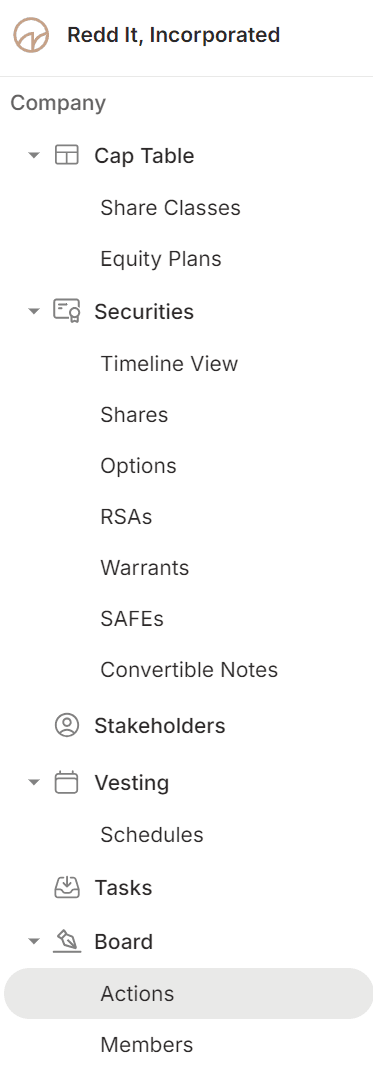
On the left sidebar, click Board and then Actions.
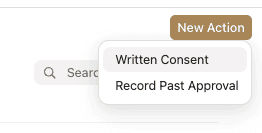
Click on New Action in the top right corner.

Click on the Written Consent option in the dropdown menu.
Fill in the board action details, including the name of the board action, a PDF of the board resolution, and effective date.
Prepare for Signatures:
Write a Signature Page Header, and select the board members to send the document to for signatures.
Select the board members to sign
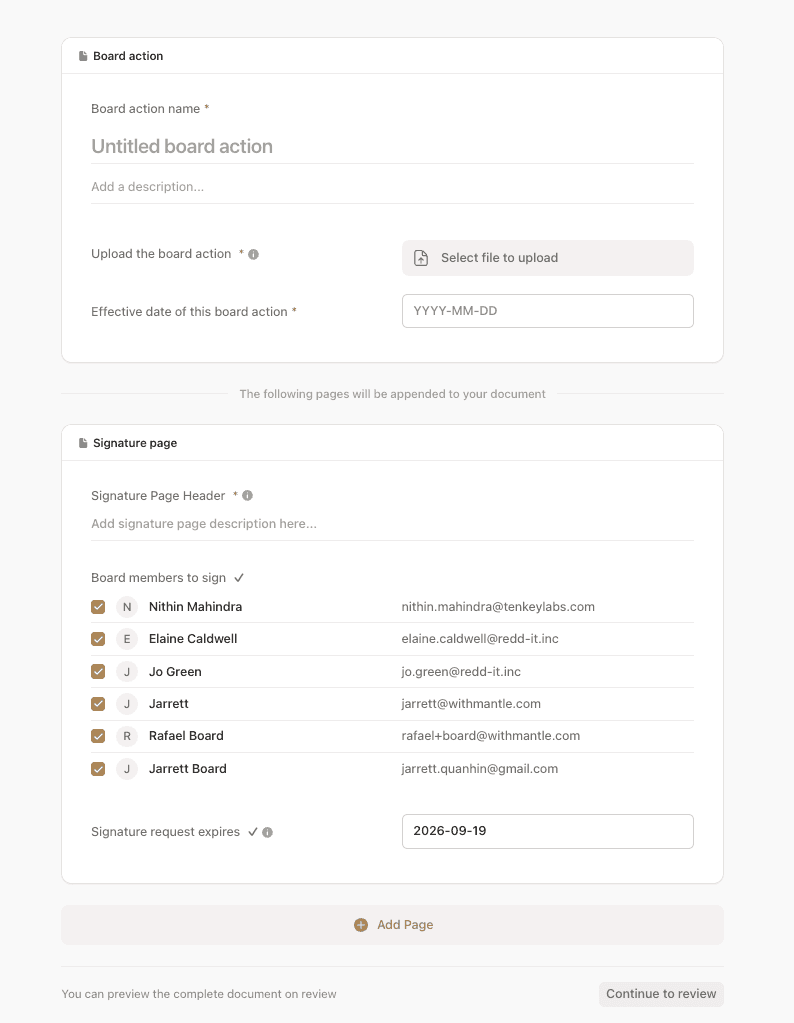
*Note: the board resolution PDF should not contain any details of the option grants. Instead, it should simply say language such as “Refer to Option Grant Approval Exhibit for details of option grants to be approved”. The signature page and an Exhibit table of all grants will be automatically appended to the end of the board resolution PDF.
Click on Save and finish later.
Link Option Grants to the Board Action:
Press Add Section, then choose Options to Approve from the dropdown.

Select Option Grants:
Pick the option drafts you want to include in the board resolution and click Select.
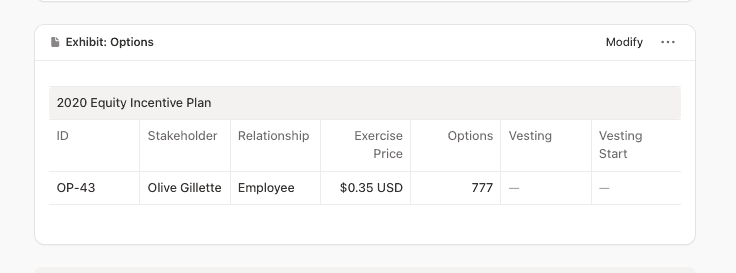
Review the Board Resolution Document:
Carefully check the complete document, including the appended signature page and option grant approval exhibit at the end of the document.
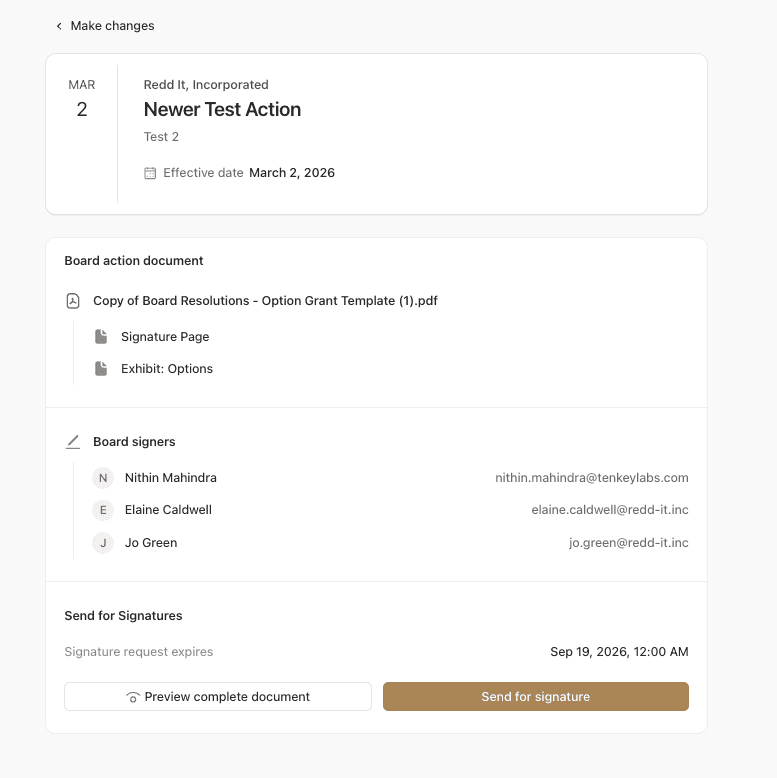
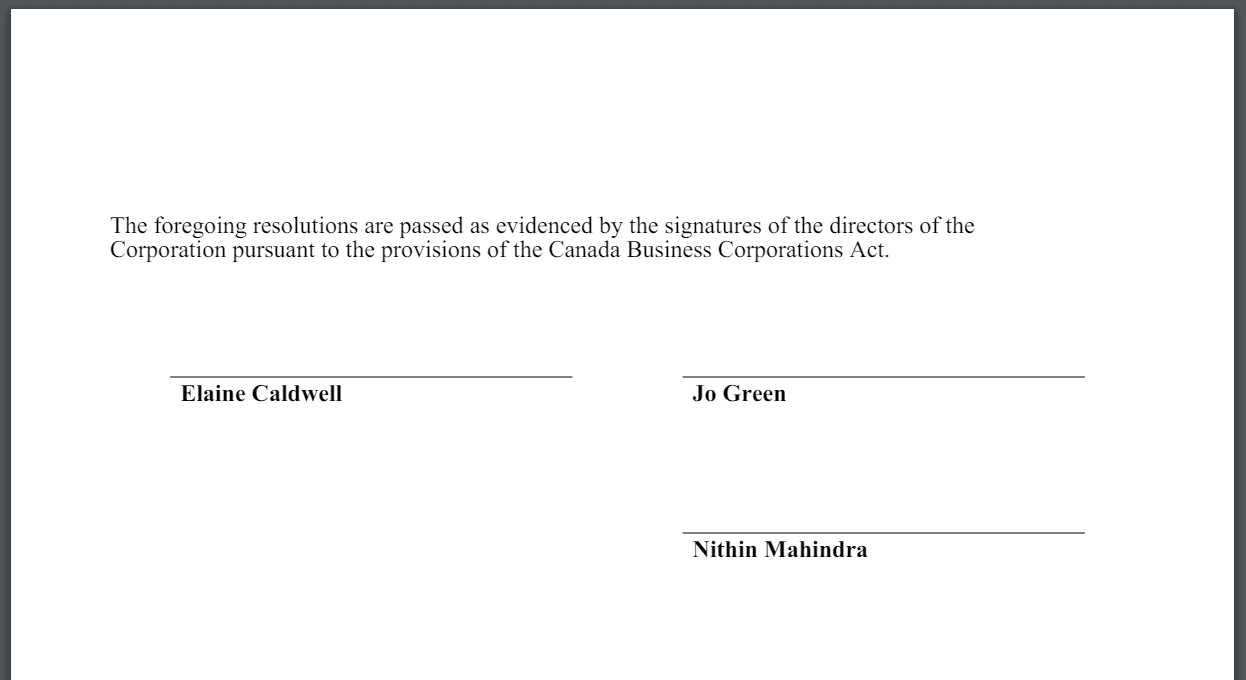
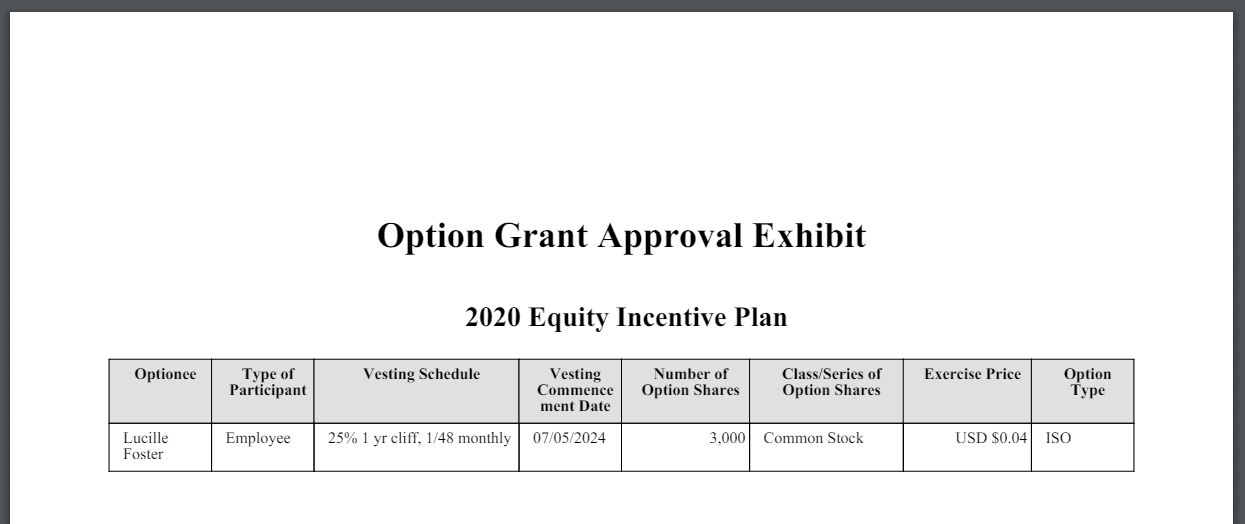
Publish the Board Resolution:
When everything looks correct, click Send for Signature to complete
Recording written consent
Navigate to Board Actions
In the left-hand sidebar, click on Board → Actions.
Record past approval
Click New Action → Written Consent.
Complete the board action details, including the name, description, board resolution attachment, and effective date.
Recording past approval
Navigate to Board Actions
In the left-hand sidebar, click on Board → Actions.
Record past approval
Click New Action → Record Past Approval.
Complete the board action details, including the name, description, board resolution attachment, and effective date.
Attaching board actions with specific workflows
Whenever the board approves something that touches your cap table, attach that board consent to the exact records it affects in Mantle. This creates a clean paper trail for every material equity decision.
Best practices for founders
Name board actions clearly: Include the date and key decisions so you can recognize them at a glance later (e.g. "2026-03-15 Board – Series A & Pool Increase")
Attach, don't just reference: Upload the actual signed consents rather than just noting an approval.
Keep legal in the loop: Work with your counsel to ensure that every equity-affecting action in Mantle has a corresponding board record and that the language in the approvals matches what you are doing in the system.
If you're unsure whether a specific decision belongs in a board action, ask your law firm and then mirror whatever they document in Mantle so your cap table and governance trail stay tightly aligned.